Study
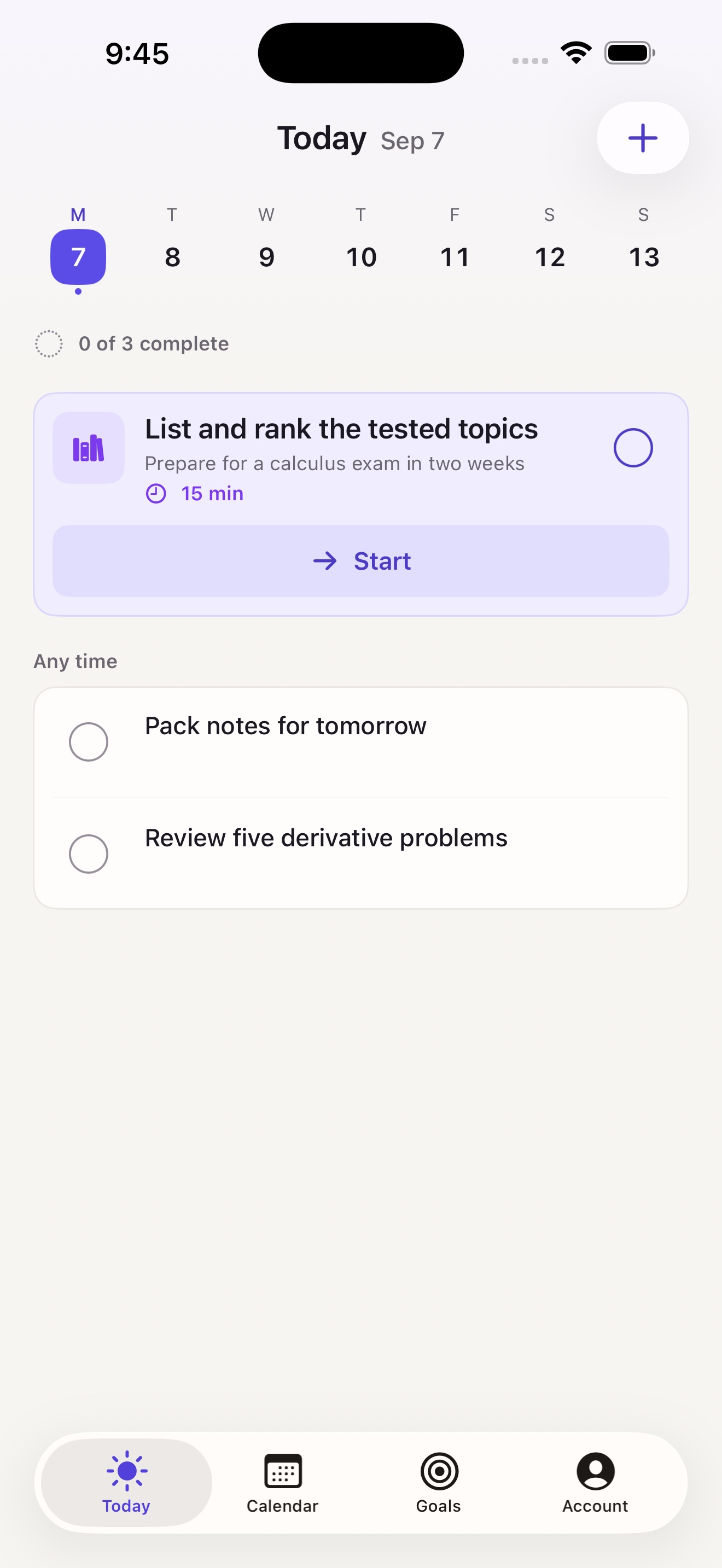
Prepare for a calculus exam
Tested topics · Current level · Time to study
Possible next step
List the tested topics. Mark the three you find hardest.
15 min stepiGet Stepi
AI goal planner for iPhone & iPad
Turn what you want to achieve into a clear plan. Then focus on your next step.
Free to start. Optional Stepi Pro subscription.
From goal to action
An exam, a portfolio, a new skill. Start with your goal and a deadline if you have one.
Start with offline On Device planning, or use Pro’s Smart Planning for a plan shaped by your answers.
Follow a roadmap with milestones and a specific action for today. Check it off when you finish.
Stepi Pro · Smart Planning
An exam plan should reflect what you need to learn, where you are now, and the time you have.
Optional online AI planning. Requires Pro and your permission.
Compare Free and Pro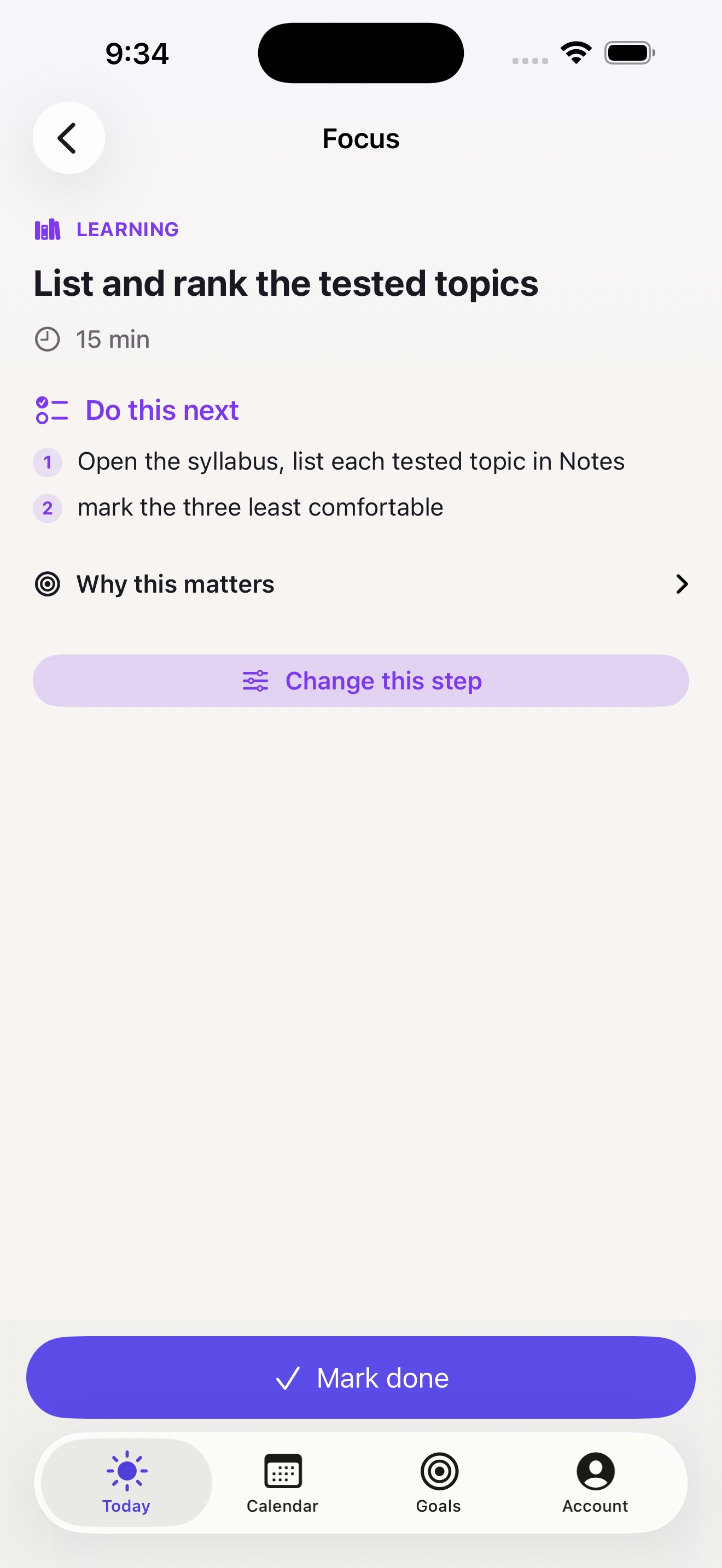
Make it concrete
Example goals and possible next steps.
Smart Planning uses your answers to personalize your plan.
Study
Tested topics · Current level · Time to study
List the tested topics. Mark the three you find hardest.
15 minCreate
Existing work · Missing pieces · Deadline
Choose one project. List the work it needs before you can share it.
10 minLearn
Experience · Available tools · Practice time
Choose one basic technique. Practice it for ten minutes.
10 minChoose your planning mode
Stepi Free
$0 to download
Stepi Pro
$4.99 / month
or $39.99 / year
US App Store prices in USD. Prices vary by region. Pro subscriptions renew automatically unless canceled. Manage or cancel through your Apple Account. Smart Planning needs an internet connection.
Your choice, from the start
On Device planning works offline. Goals, tasks, and plans are stored locally. Smart Planning is optional and sends relevant planning information to Stepi's server and OpenAI only after permission.
Read the privacy policyStepi is a goal planner for iPhone and iPad. It turns a goal into a roadmap, milestones, and a concrete daily next step. You can also add your own tasks and see work in Stepi Calendar.
Stepi is for people who want a starting point for a personal goal. You can use it to organize exam preparation, finish a portfolio, learn a skill, or plan another project.
Yes. Free includes offline On Device planning, one active or paused goal, one focused goal step each day, personal tasks, Stepi Calendar, and progress feedback. Pro is optional.
Pro adds personalized Smart Planning, multiple active goals, and scheduling future goal steps in Stepi Calendar. US prices are $4.99 per month or $39.99 per year. Local prices are shown in the app before purchase.
Smart Planning uses your goal, relevant answers, and permitted planning context to create your plan and daily actions. After you give permission, Stepi sends that information through its secure server to the OpenAI API. You can choose On Device planning or revoke Smart Planning permission in Account settings.
On Device planning works offline using the planner on your device. Smart Planning needs an internet connection and Stepi Pro. Your stored goals, tasks, and plans remain available on your device.
No. Stepi Calendar organizes work inside Stepi. It does not currently synchronize with Apple Calendar or Google Calendar.
No Stepi account is required. Your goals, tasks, and plans are stored on your device. There is no Stepi cloud sync. Restore Purchases restores an eligible Apple subscription, not your goals or tasks.
Your next step
For iPhone & iPad. iOS 17 or later.